

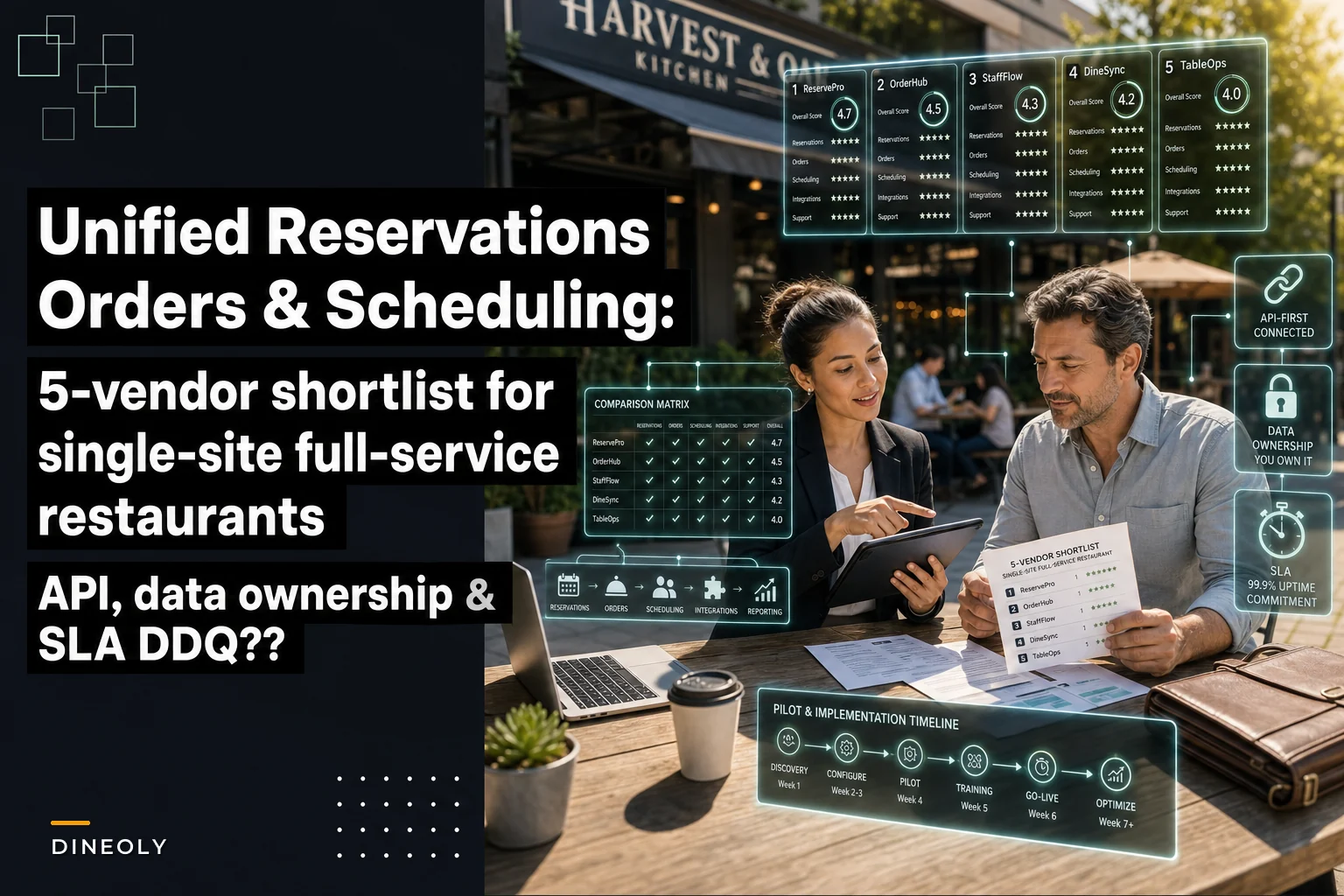

Most single-site operators don't need another "best restaurant software" listicle. You need something you can forward to a partner, mark up, and use to run demos without burning three weeks figuring out which vendor actually unifies the three systems that eat the most manager time: your book, your tickets, and your schedule.
That's the narrow problem this covers. Not POS in general. Not marketing. Not inventory. Specifically: vendors that try to put reservations, order management, and staff scheduling under one roof for a single full-service location — and how to pressure-test them before you sign.
One honesty note before the shortlist: very few vendors do all three equally well natively. Most are strong in one or two and plug into the third through an acquisition, a partner integration, or a bolt-on module. That's fine — but it changes the questions you ask. A "unified" platform where scheduling is a recently-bought add-on behaves very differently at 7:45pm on a Friday than one built around it from the start.
How to read this shortlist (selection criteria first)
Before any vendor names, here's the lens. A single-site full-service restaurant evaluating unified platforms should weigh these in roughly this order:
-
Depth where it hurts most. If you're a reservation-heavy fine-dining room, book management depth matters more than scheduling polish. If you're a high-volume brunch spot bleeding on labor, scheduling and real-time labor cost tracking win.
-
Real integration vs. "logo on the partner page." Two systems sharing a login is not the same as two systems sharing data. Ask what actually syncs and how often.
-
Data portability. You will leave this vendor someday. Can you take your guest history, sales data, and labor records with you cleanly?
-
Price transparency. Published pricing is rare in this category. Hidden processing-fee economics often dwarf the software line item.
-
Support reality for a single site. Enterprise vendors sometimes treat single-location accounts as an afterthought. That shows up during an outage.
Keep those five in your head as you read. The vendors below are grouped by what they're genuinely good at, not ranked 1–5, because the "best" one depends entirely on which of your three systems is currently on fire.
The five vendors
1. Toast
Eliminate operational bottlenecks effortlessly.
Dineoly helps you manage every reservation, order, and staff shift seamlessly.
- Unified reservation and order management
- Real-time staff scheduling
- Inventory and sales tracking
No credit card required
What it's actually good at: Toast is POS-and-order-management first, and it runs deep there. Kitchen display routing, modifiers, coursing, online ordering, and tableside handhelds are all mature. Scheduling exists through Toast's labor tools (Sling-derived), and reservations/waitlist come through Toast's own offering plus integrations.
Ideal-fit signals:
-
You want order management and payments as the center of gravity, with scheduling and reservations orbiting it.
-
You run a busy room where tableside handhelds and fast ticket flow move real money.
-
You're comfortable with hardware investment and an all-in-one ecosystem.
Where to be careful:
-
Reservations are the newest leg of the stool. If you're running a reservation-driven fine-dining concept, test the booking experience hard rather than assuming it matches the POS depth.
Pricing model summary: Software subscription per terminal/module, plus payment processing. The processing economics are where the real cost lives — model your effective rate on your average check and volume, not the headline software fee.
2. SpotOn
What it's actually good at: SpotOn sits in a similar all-in-one lane to Toast but tends to compete aggressively on pricing flexibility and processing terms for single-site operators. Reservations and waitlist, online ordering, and labor/scheduling tools are bundled, and the account management experience for independents is often a genuine differentiator.
Ideal-fit signals:
-
You're a single owner-operator who wants a named account rep, not a ticket queue.
-
You want reservations, order management, and scheduling bundled without enterprise overhead.
-
Processing cost negotiability matters to you.
Where to be careful:
-
Breadth sometimes comes before depth. Confirm each module does what you specifically need — especially if your scheduling needs are complex (multiple roles, tip pooling, split shifts).
Pricing model summary: Subscription plus processing, with more willingness to customize bundles than the larger players. Get the full fee schedule in writing, including statement and gateway fees.
3. Lightspeed (Restaurant)
What it's actually good at: Strong order management and front-of-house flow, solid reporting, and reservation capability (Lightspeed acquired reservation tooling) plus scheduling through native and integrated labor tools. Historically solid with full-service and tableside workflows, including coursing and floor management.
Ideal-fit signals:
-
You want granular menu/order control and reporting depth.
-
You value floor and table management as a first-class feature, not an afterthought.
-
You operate full-service with meaningful menu complexity.
Where to be careful:
-
The "unified" story is partly assembled from acquisitions. Ask pointedly how the reservation and scheduling pieces share data with the core POS — and whether that sync is real-time or batch.
Pricing model summary: Tiered software subscription by feature set, plus payment processing. Higher tiers unlock the integrations that make the "unified" pitch real, so price the tier you'll actually need.
4. OpenTable (with GuestCenter + integrations)
What it's actually good at: Reservations and demand generation, full stop. If guests finding and booking you is the priority, OpenTable's network effect is the strongest in the category. Table/floor management and guest history/CRM are genuinely deep. Order management and scheduling come through POS integrations rather than a native build.
Ideal-fit signals:
-
Reservations are the heartbeat of your business and inbound discovery matters.
-
You want best-in-class guest profiles, notes, and seating logic.
-
You're willing to pair it with a POS and scheduling tool and integrate rather than buy one box.
Where to be careful:
-
This is the least "unified in one platform" option — it's unified through integration. That's not a flaw, but it means your due diligence shifts heavily toward integration quality and data flow between OpenTable and whatever handles orders and labor. Also model cover fees, which add up fast on high-volume nights.
Pricing model summary: Monthly subscription plus per-cover fees for network-sourced reservations. The per-cover component is the variable to watch — run it against your projected network-vs-direct booking mix.
5. Resy (with POS + labor integrations)
What it's actually good at: Like OpenTable, Resy leads with reservations, guest CRM, and a clean experience for both guest and host. It tends to appeal to independent and chef-driven concepts. Order management and scheduling arrive through integrations rather than native modules.
Ideal-fit signals:
-
You're an independent full-service or fine-dining concept where brand and guest experience matter.
-
You want a clean host/reservation workflow and guest notes that travel with the diner.
-
You already have (or will choose) a POS and scheduling tool you like and just need them to talk.
Where to be careful:
-
Same structural caveat as OpenTable — the "unified" outcome depends on integrations holding up. Validate the specific POS and scheduling connectors you'd rely on, not the generic promise.
Pricing model summary: Subscription-based, with plan tiers depending on features and cover volume. Confirm which integrations are included at your tier versus gated behind an upgrade.
Side-by-side snapshot
Picking between these five mostly comes down to where your operation actually breaks down. The table below cuts through the marketing language and maps each vendor to what they're genuinely built for.
| Vendor | Native strength | Unified via | Best fit | Price pressure point |
|---|---|---|---|---|
| Toast | Order management / POS | Mostly native + integrations | Volume-driven full-service wanting POS at center | Processing rate on your check avg |
| SpotOn | All-in-one bundle | Native modules | Owner-operators wanting a bundle + account rep | Full fee schedule beyond headline rate |
| Lightspeed | Order mgmt + floor management | Native + acquired modules | Menu-complex full-service needing reporting depth | Tier required to unlock unification |
| OpenTable | Reservations + discovery | Integration-first | Reservation-heavy rooms needing inbound covers | Per-cover fees at volume |
| Resy | Reservations + guest CRM | Integration-first | Independent / chef-driven concepts | Integration access by tier |
The pattern is hard to miss: POS-first vendors (Toast, SpotOn, Lightspeed) make "unified" mostly real inside one box but ask you to accept their reservation depth. Reservation-first vendors (OpenTable, Resy) give you the best book but make "unified" an integration project. Neither is wrong. Your current pain decides.
The three due-diligence questions to ask every vendor
The three areas that burn single-site operators post-signature are almost always API access, data ownership, and SLAs. Ask these in every demo. Don't let them be answered with a brochure.
On API access:
> "Do I get API access to my own reservations, sales/order, and labor data at my plan tier — without a separate enterprise contract — and can you show me the documentation?"
The tell: if API access is "available on request" or gated behind a sales conversation, assume it's hard. You want documented, self-serve access.
On data ownership:
> "Who owns the guest profiles, order history, and labor records? If I cancel, can I export all of it in a standard format, and is there any fee or hold period to do so?"
The tell: vague ownership language or export "assistance" that happens to be a paid service. Your guest history is the asset you'd most regret losing.
On SLAs:
> "What's your uptime commitment in writing, what's the credit if you miss it, and what's the guaranteed response time when my book or POS is down during service?"
The tell: an uptime "target" with no credit mechanism. A target you can't enforce isn't an SLA.
If you want deeper grounding on vetting software claims before they go live — especially as regulatory scrutiny of automated features increases — the operations playbook for vetting, onboarding, and governing AI features pairs well with this checklist.
Vendor-agnostic due-diligence checklist
Work through this for any vendor on or off this list:
-
[ ] Does each of the three systems (book, orders, labor) share data in real time, or on a batch/delay? Get it in writing.
-
[ ] What breaks if the internet drops mid-service? Is there an offline mode for order taking?
-
[ ] What's the effective payment processing rate on your actual average check and monthly volume?
-
[ ] Are there statement fees, gateway fees, PCI fees, or early-termination fees not shown in the main quote?
-
[ ] Can you export guest, sales, and labor data yourself, in CSV or via API, anytime?
-
[ ] Does scheduling handle your real complexity
multiple roles per employee, tip pools, overtime alerts, split shifts?
-
[ ] Does reservation data (party size, VIP notes, allergies) actually reach the floor and kitchen, not just the host stand?
-
[ ] What's the hardware commitment, and is it leased or owned?
-
[ ] How are support hours structured — and is Friday night service covered by a human?
-
[ ] What's the contract length and auto-renewal language?
The single most-skipped item on this list is the data-flow timing question. "Unified" on a marketing page often means "logs into the same dashboard," while the labor numbers still update hours after the sales they relate to. For in-shift decisions, delayed data is almost as useless as no data.
A pilot plan you can run in 30–45 days
Don't go live blind. Structure a pilot that stresses the real failure points.
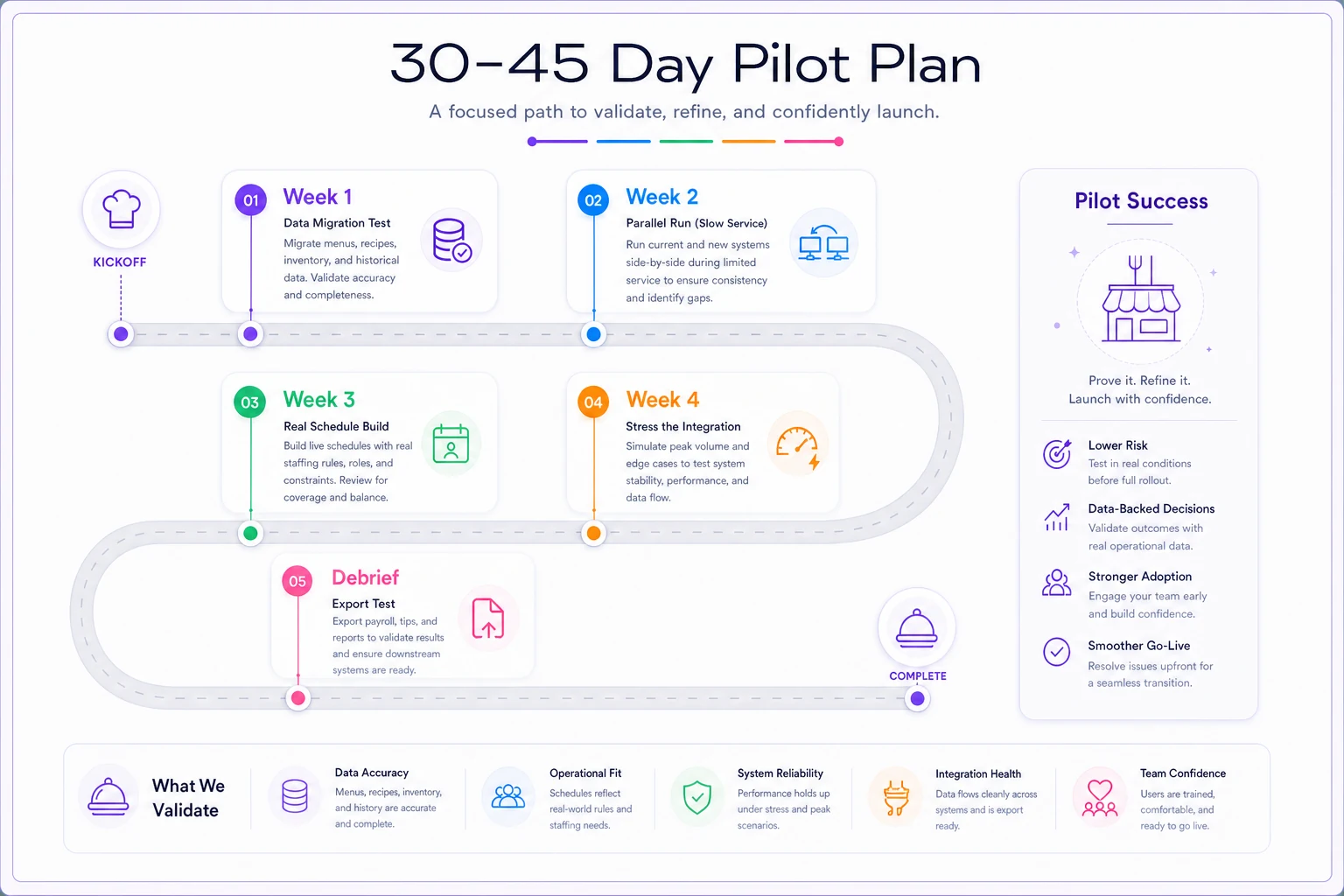
Visual workflow for the 30–45 day pilot plan.
Here's how each week should run:
-
Week 1 — Data migration test. Import a sample of real guest history and your actual menu. Watch what breaks. Modifiers, coursing, and VIP notes are where mapping usually fails.
-
Week 2 — Parallel run on your slowest service. Run the new system alongside your current one on a quiet night. Compare ticket times and reservation handling without risking a full room.
-
Week 3 — Schedule a real two-week period. Build an actual upcoming schedule with your real roles and overtime rules. Confirm labor cost shows correctly against projected sales.
-
Week 4 — Stress the integration. On a busy night (parallel, with your old system as backup), confirm reservations flow to the floor and orders route to the kitchen correctly in real time.
-
Debrief with the exit question. Before committing, run one export of all three data types. If the export is clean and complete, your off-ramp exists. If it's painful now, it'll be worse in two years.
Operators who skip the Week 3 scheduling test are the ones who discover, after signing, that the labor module can't handle their tip pool or split shifts — the exact thing that made "unified" worth paying for in the first place.
One-page vendor questionnaire (copy this into your RFP)
Send this verbatim when soliciting demos. One page. Make them answer in writing.
Company & fit
-
Which of the three — reservations, order management, scheduling — is native vs. acquired/integrated?
-
How many single-site full-service restaurants of our size and style do you support?
Integration & data
-
What data syncs between the three systems, and at what frequency (real-time/batch)?
-
Do we get documented API access at our plan tier? (Attach docs.)
-
Who owns guest, sales, and labor data, and how do we export it on cancellation?
Reliability
-
What is your written uptime SLA and the credit for missing it?
-
What's your guaranteed support response time during service hours?
-
Is there offline order functionality if connectivity drops?
Money
-
Full fee schedule
software, processing (effective rate on our check avg), hardware, and any statement/gateway/PCI/termination fees.
-
Contract length, auto-renewal terms, and early-termination cost.
Scheduling specifics
-
Does scheduling support multiple roles per employee, tip pools, overtime alerts, and split shifts?
Reservation specifics
-
Do party notes, allergies, and VIP flags reach the kitchen and floor, not just the host?
Send this verbatim when soliciting demos. One page. Make them answer in writing.
When a "unified" platform is the wrong call
Worth saying plainly: unified isn't automatically better. Buying one box that does three jobs adequately can be worse than three best-in-class tools that integrate well — if, and only if, those integrations are solid.
A unified platform makes sense when:
-
You're tired of reconciling three systems and three support contracts.
-
Your needs in each area are solid-but-not-specialized.
-
In-shift decisions depend on seeing labor, sales, and covers together.
It's a bad idea when:
-
One of the three areas is genuinely specialized for you (serious fine-dining reservations, or complex union/tip-pool scheduling), and the unified vendor is weak there.
-
The "unification" is an integration you'd have to maintain anyway — in which case you might as well pick the best tool for each leg.
-
You're being asked to pay a premium for breadth you won't use.
Operators who regret these decisions usually bought the all-in-one promise to solve a problem that lived in only one of the three systems. If your pain is 90% scheduling, solve scheduling first and integrate the rest — don't rip out a reservation setup that works to chase a single dashboard.
Bringing it together
Run demos with the one-page questionnaire, score each vendor against the five selection criteria, and don't sign until the pilot's export test passes cleanly. The shortlist above narrows the field, but the three standardized questions — API access, data ownership, SLAs — are what actually protect you after the ink dries. Those are the terms that are easy to wave off in a demo and expensive to discover later. Make the vendor answer them in writing, and let their willingness to do so tell you most of what you need to know.
Ready to elevate your restaurant operations?
Join 2,000+ restaurants using Dineoly to enhance efficiency, increase table turnover, and delight diners.