

Most ordering-software decisions go wrong before the first order is ever placed. They go wrong in the demo, when the salesperson skips past the questions you didn't know to ask, and they go wrong three weeks after launch when you realize the online menu and the in-house menu drifted apart and nobody owns reconciling them.
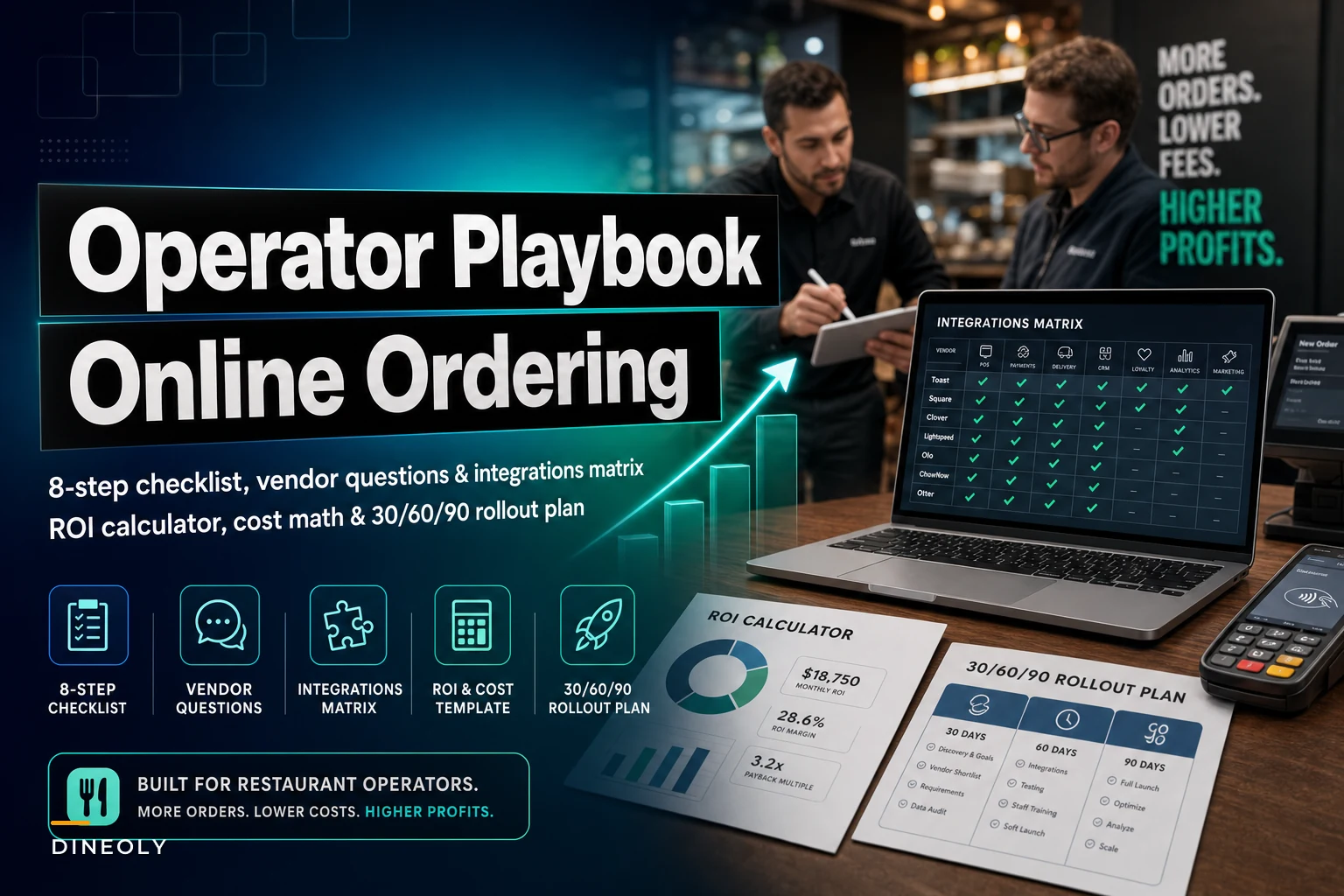
This guide is about avoiding those exact failures. Not a feature comparison, not a "top 10 platforms" roundup — a procurement and rollout process you can actually run, with the vendor questions that matter, an integrations matrix you can fill in during a demo, ROI math you can do on a napkin, and a 30/60/90 plan that works whether you have one location or twelve.
Start with the failure modes, not the features
Before you look at a single demo, it helps to know where this actually goes sideways. The damage almost never comes from the feature list. It comes from the seams — the places where the ordering system hands off to something else.
-
Menu drift. The online menu and the POS menu live in two places. Prices, 86'd items, and modifiers fall out of sync. Guests order something you ran out of two hours ago.
-
Order injection chaos. Orders arrive by tablet instead of flowing into the POS and kitchen display. Someone has to hand-key them, which is where the dinner-rush mistakes live.
-
Payment reconciliation gaps. Online payments settle on a different schedule than in-house, and nobody can tie the deposits back to tickets cleanly at close.
-
Commission creep. The "low monthly fee" platform quietly takes a per-order cut, or pushes you toward a marketplace model that eats 15–30% of every ticket.
-
Data you can't get back. When you want to leave, your guest list, order history, and loyalty points are locked inside the vendor.
Keep these five in mind as you read. Almost every step below exists to prevent one of them.
The 8‑step procurement checklist
This is the sequence. Don't skip steps, and don't let a good demo pull you straight to a contract.
Eliminate operational bottlenecks effortlessly.
Dineoly helps you manage every reservation, order, and staff shift seamlessly.
- Unified reservation and order management
- Real-time staff scheduling
- Inventory and sales tracking
No credit card required
-
Define the order channels you actually need. First‑party web ordering, mobile, QR‑at‑table, phone-order capture, catering/large-order forms, third‑party marketplace aggregation. Write down which ones drive revenue for your format. A neighborhood pizzeria and a fast-casual bowl concept need very different things here.
-
Map your current stack before you shop. Write down your exact POS, KDS, payment processor, loyalty tool, and reporting setup, including version numbers. This single document kills more bad deals than any negotiation tactic, because it forces the vendor to prove integration before you sign.
-
Set hard requirements vs. nice-to-haves. Two-way POS menu sync is a hard requirement. A fancy upsell carousel is a nice-to-have. Be honest about the split — vendors love selling you the nice-to-haves while the hard requirements quietly don't exist.
-
Build a shortlist of 3–4 vendors, not 10. More than four and you'll never run disciplined demos. Fewer than three and you lose negotiating leverage.
-
Run scripted demos. Don't let them drive. Hand each vendor the same 6–8 scenarios and make them show you, live, in their actual product.
-
Fill in the integration matrix for each finalist. Native integration, via middleware, or "on the roadmap" — those are three completely different answers. Treat "on the roadmap" as "no."
-
Run the ROI template with real numbers. Not their numbers. Yours.
-
Negotiate the contract terms that bite later — commission structure, data portability, menu-change SLAs, and the exit clause.
The steps above are deliberately front-loaded on preparation. The teams that struggle are the ones that start at step 5.
The vendor question checklist
Bring these to every demo. Ask the same questions to each vendor and write down the answers verbatim — the discrepancies between vendors often tell you more than the answers themselves.
On integration and menu sync:
-
Is the POS integration two-way? If I 86 an item at the POS, does it disappear from online ordering automatically, and how fast?
-
When I change a price in one place, where does it change? Is there a single source of truth for the menu, or two menus I maintain separately?
-
How do modifiers and combos map between your system and my POS? (This is where most sync breaks.)
On order flow:
-
Do online orders inject directly into my POS and KDS, or do they land on a separate tablet?
-
What happens during an outage — can the kitchen still receive orders, and how?
-
Can the kitchen pace or throttle incoming online orders during a rush?
On money:
-
What is the total cost per order — platform fee, payment processing, and any per-transaction cut?
-
For first-party orders, who owns the payment relationship and the funds timing?
-
How do online payments reconcile against my in-house close? Walk me through an end-of-day.
On data and exit:
-
Who owns the guest data — me or you?
-
If I leave, can I export full order history, guest contacts, and loyalty balances in a usable format? At what cost?
-
What's the notice period and what happens to my data 30 days after cancellation?
On support and change speed:
-
When I need a menu change live for tonight's special, who does it and how long does it take?
-
What's your support response time during Friday dinner service specifically?
That last question matters more than most people expect. Plenty of vendors have solid weekday support and nobody answering at 7:45pm Saturday.
The integrations matrix
Fill one of these out for every finalist. The goal is to replace vague demo promises with a single word in each cell: Native, Middleware, Roadmap, or No.
| Integration | What to verify | Why it matters |
|---|---|---|
| POS | Two-way menu + 86 sync, order injection, modifier mapping | Prevents menu drift and hand-keying errors |
| KDS | Online orders hit the kitchen display with correct routing and timing | Keeps ticket times honest during rush |
| Payments | Processor compatibility, funds timing, reconciliation report | Clean end-of-day, no settlement gaps |
| Loyalty | Points earn/redeem on online orders, unified guest profile | Online guests actually count toward loyalty |
| Analytics / Reporting | Online + in-house in one view, exportable raw data | You can see true channel performance |
| Delivery dispatch | Hands off to your delivery provider or DSP cleanly | Avoids a second manual step per order |
A cell that says "Middleware" isn't automatically bad — it just means there's a third party in the chain, which means a second support number when something breaks, and usually a second monthly fee. Price that in.
One pattern worth flagging: vendors will often show you a beautiful Native POS integration that only works with the newest version of your POS. If you're a version behind, you may quietly fall into Middleware or No. Always verify against your version, which is exactly why step 2 matters.
Always verify integrations against your exact POS version during the demo.
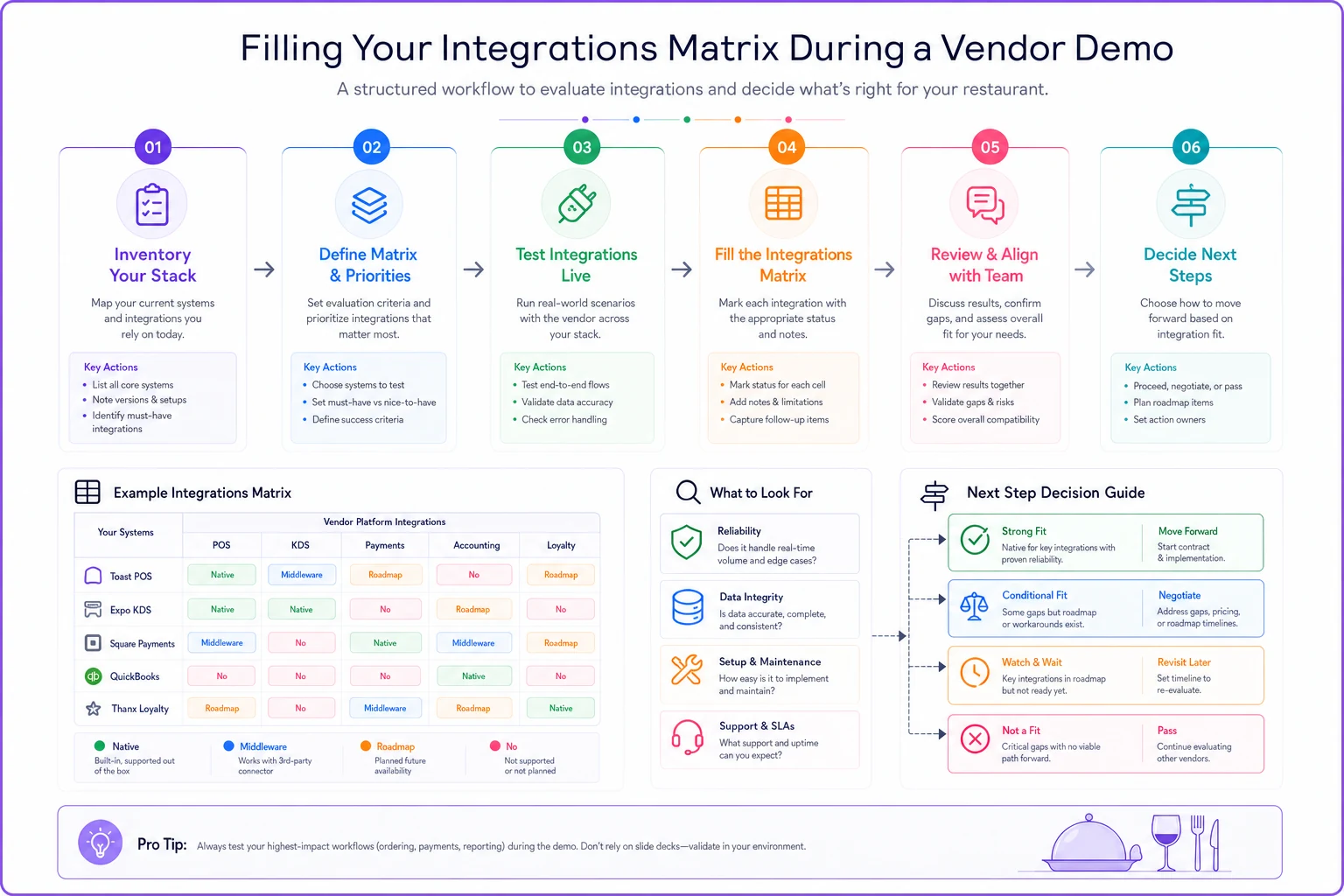
A quick sketch of the demo-to-matrix workflow.
A simple ROI template
Forget the vendor's ROI calculator. Here's the math that holds up, built around the one variable that dominates everything: commission and processing cost per order.
Online orders/month × = A Average online ticket × = (A × ticket) = Gross online revenue (G) First-party platform: Platform fee (flat) = F Payment processing (~2.6–3.0%) = G × rate Per-order fee (if any) = A × fee Total first-party cost = F + processing + per-order Marketplace/commission: Commission (15–30% of G) = G × commission (processing often bundled) Total marketplace cost = G × commission
A realistic example: a single-location fast-casual doing around 900 online orders a month at roughly a $24 average ticket — about $21,600 in online revenue. On a first-party platform with a ~$200 flat fee and ~2.8% processing, total cost runs roughly $800/month. On a 20% marketplace commission, that same volume costs about $4,300/month. The gap is close to $3,500 a month — money that lands directly on the bottom line.
That doesn't mean marketplace is always wrong. Marketplaces buy you demand you wouldn't otherwise get. The honest way to model it: treat marketplace commission as a customer-acquisition cost, and first-party as the channel you push repeat guests toward once they've found you. Many operators run both and work to migrate loyal guests from the expensive channel to the cheap one over time. If you're rethinking channel-level margins more broadly, the same P&L discipline covered in recalibrating restaurant FinOps and pricing for persistent inflation applies directly here.
When first-party makes sense, and when it doesn't
First-party online ordering makes sense when:
-
You already have a base of repeat guests you can drive to your own site.
-
Your average ticket is high enough that 15–30% commission genuinely hurts.
-
You have someone who will own the menu and keep it synced.
Marketplace-only makes sense when:
-
You're new, unknown, and need discovery more than margin.
-
Your volume is too low to justify a platform fee.
-
You genuinely can't staff the operational ownership first-party requires.
Who should probably wait: If your in-house POS menu and pricing aren't already clean and governed, bolting on online ordering just multiplies the mess. The same governance thinking laid out for menu and promotions lifecycle management with launch gates needs to exist before you add a second menu-facing channel. Online ordering doesn't fix a sloppy menu — it broadcasts it.
The 30/60/90 rollout plan
The single-location and multi-location versions diverge sharply, so here's both.
Single location
Days 1–30 — Foundation. Lock down a single source of truth for the menu. Build and map every item, modifier, and combo between the platform and POS. Run order-injection tests into the POS and KDS with the kitchen actually watching. Reconcile a full day of test payments end-to-end. Do not go live to guests yet.
Days 31–60 — Soft launch. Turn on first-party ordering quietly — no marketing push. Watch for the seams: menu drift, mis-routed modifiers, reconciliation gaps at close. Have a manager run a daily check comparing online menu vs. POS menu for the first two weeks. Fix the breakage before you amplify it.
Days 61–90 — Scale and optimize. Now promote it. Push repeat guests toward first-party. Turn on loyalty earn/redeem online. Start reading channel-level reporting and comparing online ticket, attach rate, and repeat rate against in-house.
Multi-location
Days 1–30 — Pilot one site. Pick a single representative location and run the full single-location Days 1–30 playbook there. Document every integration quirk — modifier mapping issues, POS version differences, reconciliation steps. This becomes your rollout SOP.
Days 31–60 — Template and stage. Build a master menu template centrally. Decide what's locked (pricing structure, item names, modifier logic) vs. what each location can adjust (store hours, local specials, availability). Standardize the end-of-day reconciliation across sites so district managers aren't inventing their own process. Roll out to 2–3 more locations using the SOP from the pilot.
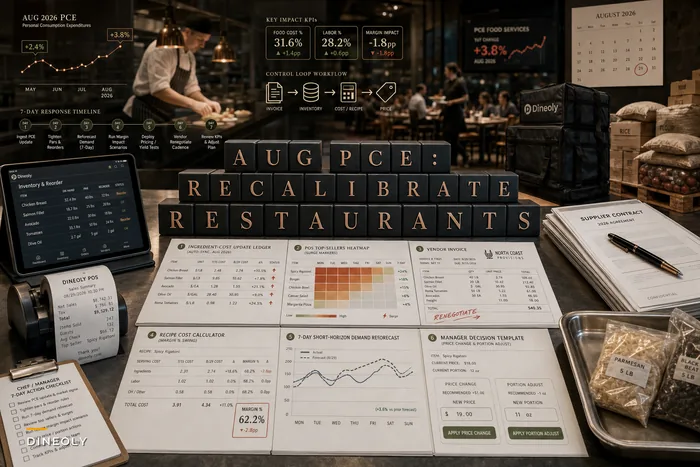
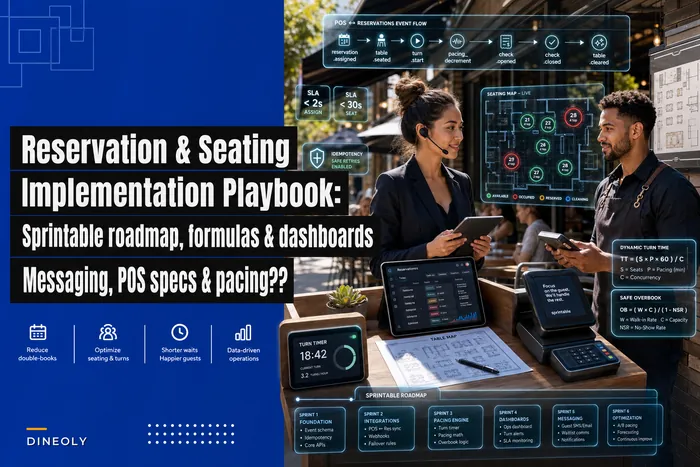
Days 61–90 — Fleet rollout. Roll out to remaining locations in batches, not all at once. Each batch gets a two-week watch window before the next starts. Centralize reporting so you can compare online performance across the fleet and spot the location whose menu quietly drifted. The multi-site governance mindset — mandatory vs. optional, with gates between phases — is the same discipline that keeps reservations and seating sane, which we broke down in the reservation and seating implementation playbook.
A real scenario
A three-location fast-casual group was running entirely on a marketplace platform, paying roughly 22% commission across about 2,400 online orders a month. Average ticket sat around $19. Their online revenue was close to $45k a month, which means they were handing over nearly $10k monthly in commission.
The problem wasn't just the cost — it was that they owned none of their guest data. Every online customer technically "belonged" to the marketplace. No way to bring those guests back directly.
They ran the procurement process above. The pilot at one location surfaced a painful detail in week one: their older POS version only supported first-party menu sync through middleware, not natively, which added a small monthly fee and a second support contact. Annoying, but they caught it in the pilot instead of after a fleet-wide launch.
Six months in, they'd shifted roughly 40% of online volume to first-party ordering by promoting it on receipts, packaging, and to their newly-rebuilt loyalty list. Commission spend dropped from about $10k to somewhere around $6k monthly, and for the first time they had guest contacts they actually owned. It wasn't a clean overnight win — the migration was deliberate and a bit grindy. But the direction was unambiguous.
Red flags and migration pitfalls
A few warning signs worth slowing down for:
-
The vendor won't quote total cost per order in writing. If they dodge the all-in number, assume it's higher than you think.
-
"Menu changes take 24–48 hours." For specials and 86'ing, that's unworkable. You need near-instant changes you control yourself.
-
No clean data export, or export costs extra. This is a lock-in strategy. Walk.
-
Integration is "on the roadmap." Treat future-tense integration as nonexistent until proven otherwise.
-
Order flow runs through a separate tablet by default. Direct POS/KDS injection should be the standard, not an upsell.
And the migration pitfalls specifically:
-
Cutting over all locations at once. Always pilot, always batch.
-
Not reconciling the first week of live payments daily. Settlement gaps compound fast if you don't catch them early.
-
Leaving the old online channel live during switchover so guests order on a menu you've stopped maintaining. Decommission deliberately.
-
Nobody owns the menu. If menu ownership isn't assigned to a specific person with actual time to do it, drift is guaranteed.
If menu ownership isn't assigned to a specific person with actual time to do it, drift is guaranteed.
The thing most operators underweight
The ordering platform itself is rarely the hard part. The hard part is the plumbing between it and everything else you already run — your POS, your kitchen, your payments, your guest data. The vendors who are honest about those seams, who show you the two-way sync working live and quote the all-in cost without flinching, are the ones worth your time.
Run the eight steps in order. Fill in the matrix with one-word answers. Do the ROI math with your own numbers, not theirs. Pilot before you scale. Do that, and online ordering becomes a channel you control instead of one that quietly controls your margins.
Run the eight steps in order. Fill in the matrix with one-word answers. Do the ROI math with your own numbers, not theirs. Pilot before you scale. Do that, and online ordering becomes a channel you control instead of one that quietly controls your margins.
Ready to elevate your restaurant operations?
Join 2,000+ restaurants using Dineoly to enhance efficiency, increase table turnover, and delight diners.