
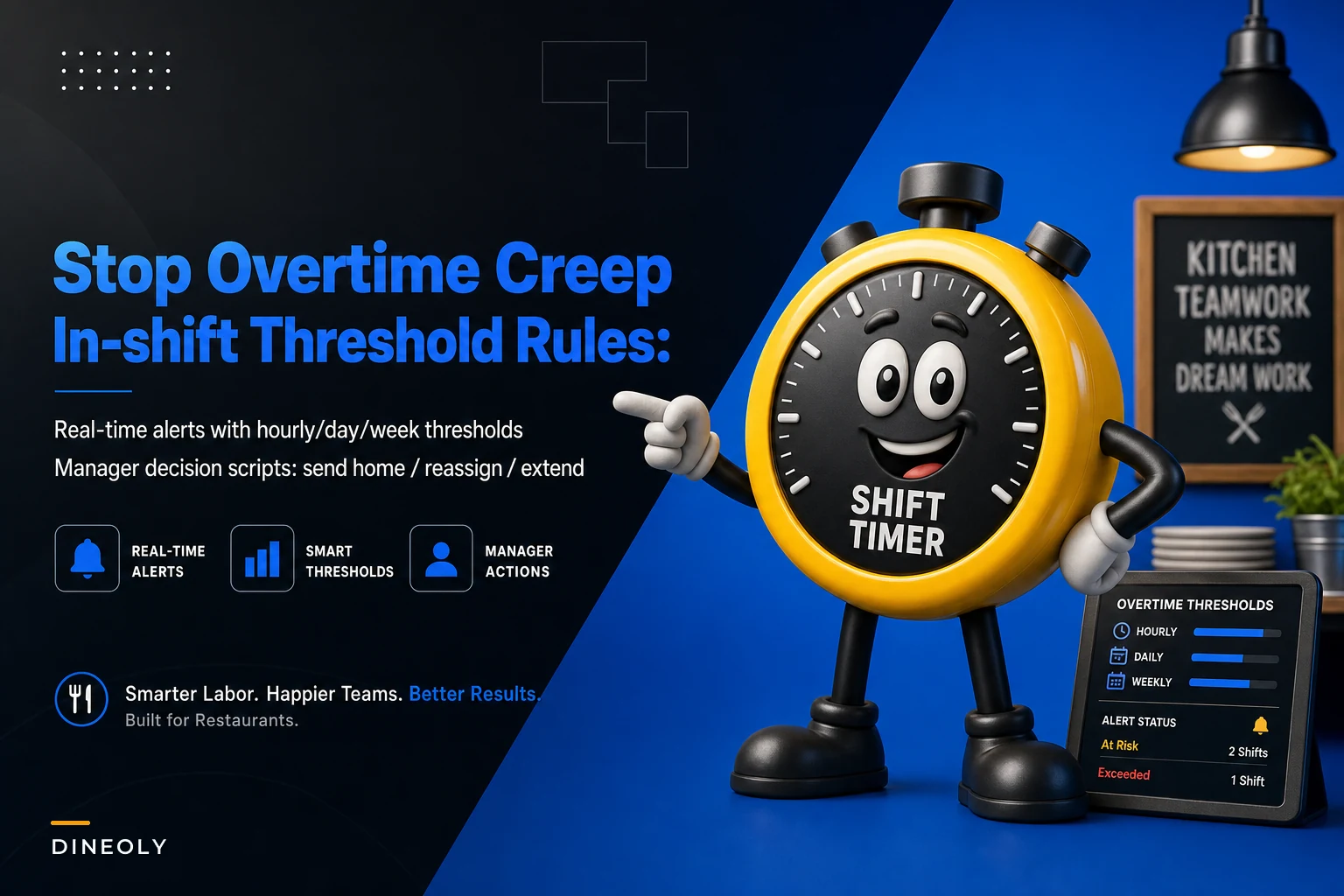

Most overtime doesn't come from big scheduling mistakes. It comes from a series of small, reasonable-in-the-moment decisions that nobody was tracking while they happened. A server stays 20 minutes past their scheduled cut because the section is still seated. A line cook picks up the last hour of a callout. A host gets asked to "just stay through the rush." None of those feel like a problem at the time. Then payroll runs and three people crossed 40 hours by a combined four hours — that's an extra $180–$220 in premium pay that generated zero additional sales.
Overtime is almost never a scheduling problem. Your schedule can be perfect on paper. It happens inside the shift, in real time, when a manager makes a call without knowing where each person actually stands on the clock. That's the gap this post is about — not how you build the schedule, but what rules and scripts you use in the middle of a Tuesday dinner rush when someone's about to tip into premium time.
If you want the broader labor picture — forecasting, compliance, cross-training — that's covered elsewhere. This is narrower on purpose. This is the in‑shift layer, and getting your restaurant overtime control rules right at this layer is where the actual money leaks stop.
Why managers create overtime without meaning to
Walk into any mid-volume restaurant on a busy night and ask the closing manager how many hours each person on the floor has this week. They can't tell you. Not because they're bad at their job — because that information lives in the POS or the scheduling app, and they're managing a floor, not a spreadsheet.
-
"This section is still full, I need a body."
-
"Who's here and standing near the door?"
-
"Cool, you stay."
Notice what's missing: any awareness of that person's weekly hours, their scheduled-out time, or whether someone else on the floor would be a cheaper extension. The manager optimizes for the immediate service problem and is completely blind to the labor cost problem. That's the whole issue.
In real operations, this usually plays out during three specific windows:
-
The unexpected callout — someone doesn't show, and the manager backfills with whoever's already there, regardless of hours.
-
The rush that runs long — a Friday that was supposed to slow at 9 keeps going till 10:15, and cuts get pushed.
-
The "close it out" hour — side work and stragglers keep two servers past their cut when one could handle it.
In all three cases, the manager isn't choosing overtime. They're choosing coverage and getting overtime as an invisible side effect.
Threshold rules: turn "how do you feel" into "what does the clock say"
The fix isn't willpower or better intentions. Managers won't consistently do labor math in their heads during a rush — nobody can. The fix is pre-set thresholds that flip a decision from judgment to rule. You decide the logic once, when it's calm, and then the shift just follows it.
Eliminate operational bottlenecks effortlessly.
Dineoly helps you manage every reservation, order, and staff shift seamlessly.
- Unified reservation and order management
- Real-time staff scheduling
- Inventory and sales tracking
No credit card required
Here's how to structure thresholds across three time horizons.
Hourly thresholds (inside the shift)
-
Any employee within 45 minutes of their scheduled-out time gets flagged for a cut decision — do we cut, extend, or reassign?
-
Any employee who has already crossed their scheduled-out and is still clocked in triggers a manager review, no exceptions.
-
If total floor labor for the current hour is running above your target labor % for that daypart, no extensions get approved without a swap somewhere else.
Daily thresholds
-
Anyone who will hit 8 hours on the day gets a note attached to their name for the closing manager. Not a hard stop — a heads-up, because that person is now a prime overtime risk tomorrow.
-
Track a per-shift "extension budget." Example
this dinner shift is allowed 60 minutes total of unplanned extensions across all staff before it needs owner/GM sign-off.
Weekly thresholds (the one that actually saves money)
-
At 32 hours, an employee enters a "watch" state. Every additional hour scheduled or worked from here is a deliberate decision, not a default.
-
At 36 hours, that person should not be picking up unplanned shifts or extensions without explicit approval — the runway to 40 is now four hours, which is one busy night.
-
At 38 hours, they're effectively frozen from any additional time unless it's a genuine emergency.
The weekly threshold has to be checked on Wednesday, not Saturday. By Saturday everyone's already at 34–37 hours and you've got no flexibility left. Treating overtime as a weekend problem when it's really a mid-week visibility problem is probably the most common mistake in this whole area.
Check weekly thresholds on Wednesday to preserve flexibility before the weekend.
The weekly threshold has to be checked on Wednesday, not Saturday. By Saturday everyone's already at 34–37 hours and you've got no flexibility left. Treating overtime as a weekend problem when it's really a mid-week visibility problem is probably the most common mistake in this whole area.
Real-time alert examples that a manager can actually act on
A threshold is useless if nobody sees it trip. The alert has to reach the manager before the decision, not after payroll. Here's what genuinely useful alerts look like — specific, timed, and paired with an action rather than just a raw number.
| Alert trigger | What the manager sees | The decision it forces |
|---|---|---|
| Server hits 45 min from cut | "Marcus scheduled out 9:15. Section 3 has 2 tables left." | Cut now and consolidate, or extend 30 min? |
| Employee crosses 36 weekly hrs mid-shift | "Dana at 36.5 hrs this week. Clocked in until 10pm = ~38.5." | Cut early, or accept she's near OT for the week? |
| Someone about to enter daily OT (state-specific) | "Luis at 7h40m today. 8h daily OT rule applies." | Send home in 20 min or approve premium? |
| Shift extension budget exhausted | "Dinner extensions at 55/60 min. One request pending." | Approve last one, or hold the line? |
The pattern that makes these work: every alert names a person, a number, and a fork in the road. A vague "labor % is high" alert gets ignored because it doesn't tell anyone what to do next. "Marcus, 45 minutes to cut, two tables left" tells the manager exactly what decision is sitting in front of them.
One real-floor warning: alerts that fire too often get mentally muted within a week. If your threshold flags twelve people a night, managers stop reading them. Keep the hourly alerts tight enough that seeing one actually means something.
Manager decision scripts: send home vs. reassign vs. extend
When an alert fires, the manager has three real options. Without a script, they default to the easiest one — usually "extend," because sending someone home during a rush feels risky and reassigning takes a couple minutes of coordination. So they absorb the overtime without really deciding to.
The three-way decision
-
Read the demand. Is the current pressure going to last more than ~30 minutes? Check remaining seated tables, tickets in the window, and the reservation book for the next hour.
-
Read the person's clock. Near daily OT? Near weekly OT? Or totally clear?
-
Read the bench. Is there anyone already on the floor, under their hours, who could absorb this instead?
Then apply the trade-off:
-
Send home when demand is fading within 30 minutes, the person is near a threshold, and remaining staff can cover. This is the default you should bias toward — and the one managers consistently under-use.
-
Reassign when demand is real but uneven. One section is slammed, another is dead. Move the under-threshold person to the hot section and cut the near-threshold person from the slow one.
-
Extend when demand is genuinely sustained, there's no under-threshold body available, and the cost of degraded service clearly outweighs the premium pay. This should feel like the exception, not the reflex.
Trade-off templates you can hand to a manager
> "Extending [name] 30 minutes costs about $12–$18. If keeping them prevents a table from waiting or a bad review during a full house — extend. If it's just to finish side work two people could split, cut and reassign."
> "Before I ask [name] to stay, check: are they under 34 hours this week? If yes, fine. If they're at 36+, is there anyone here under 30 hours I should ask first?"
The under-appreciated move is the reassignment. Managers tend to treat "send home" and "extend" as the only two buttons, but the highest-value decision is usually shifting an under-hours person into the hot zone and cutting the near-OT person from the slow one. Same coverage, no premium pay. It just takes two extra minutes of thinking — which is exactly why the script exists.
A real scenario: mid-volume neighborhood restaurant
A single-location American bistro, around 120 seats, roughly $2.1M in annual sales, was running overtime of about $1,400–$1,800 a month. Nobody knew that until they actually added up the premium lines across a quarter. Their scheduling was fine. The leak was entirely in-shift.
When they broke it down, about 70% of the overtime came from just two situations — servers kept past cut on Friday and Saturday to "finish out sections," and a handful of employees quietly hitting 41–43 hours because managers backfilled callouts with whoever was closest.
The fix wasn't complicated. They set a weekly 36-hour watch flag, a 45-minutes-to-cut review on the floor, and a simple rule that any callout backfill had to go to someone under 32 hours first. Managers got a one-page trade-off card taped inside the office.
Within about two months, monthly overtime dropped to roughly $500–$700. Not zero — some overtime is genuinely worth paying, and trying to eliminate it entirely usually just means understaffing your busiest nights. But they cut the accidental portion, which was most of it. Around $12k–$14k a year had been walking out the door in 20-minute increments.
The GM mentioned something that stuck: service quality didn't drop. They'd assumed keeping extra bodies late was protecting the guest experience. Turns out those extra bodies were mostly doing side work slowly, not serving guests.
When tight overtime rules are the wrong move
This whole approach can backfire if you apply it too rigidly. A few honest cautions.
-
Don't do this if you're chronically understaffed. If your schedule is already too thin, "no extensions" just means blown service and burned-out staff. Fix the staffing level first — overtime control is for restaurants with adequate coverage, not a way to paper over a hiring problem.
-
Don't let the rules override judgment on genuinely big nights. A packed patio on the first warm Friday of spring is not the night to send someone home to protect a labor number. The extension budget should have an override, and managers should feel allowed to use it.
-
Don't punish employees for the flags. The threshold is about the decision, not the person. If staff start feeling like hitting 36 hours makes them a target, you'll get resentment and quiet scheduling games. Frame it as protecting the schedule, not policing people.
Restaurants that get this wrong tend to swing too hard — they treat every threshold as a hard stop and end up trading a labor problem for a service problem. The point is smarter decisions, not fewer hours at any cost.
Where software quietly does the heavy lifting
The reason most restaurants don't run in-shift thresholds isn't that they don't want to. It's that a manager physically cannot track weekly hours for 25 people, watch daily OT lines, and run a dinner service at the same time. The math has to happen somewhere other than a human brain mid-rush.
This is the narrow, unglamorous spot where an AI-assisted operational platform actually earns its keep — not doing anything clever, just watching the clock so the manager doesn't have to. It pulls punch data continuously, applies your thresholds, and pushes the right alert at the right moment: "Dana's at 36.5 this week, cutting her at 9:45 keeps you under." The manager still makes the call. The system just makes sure they're making it with a number in front of them instead of a guess.
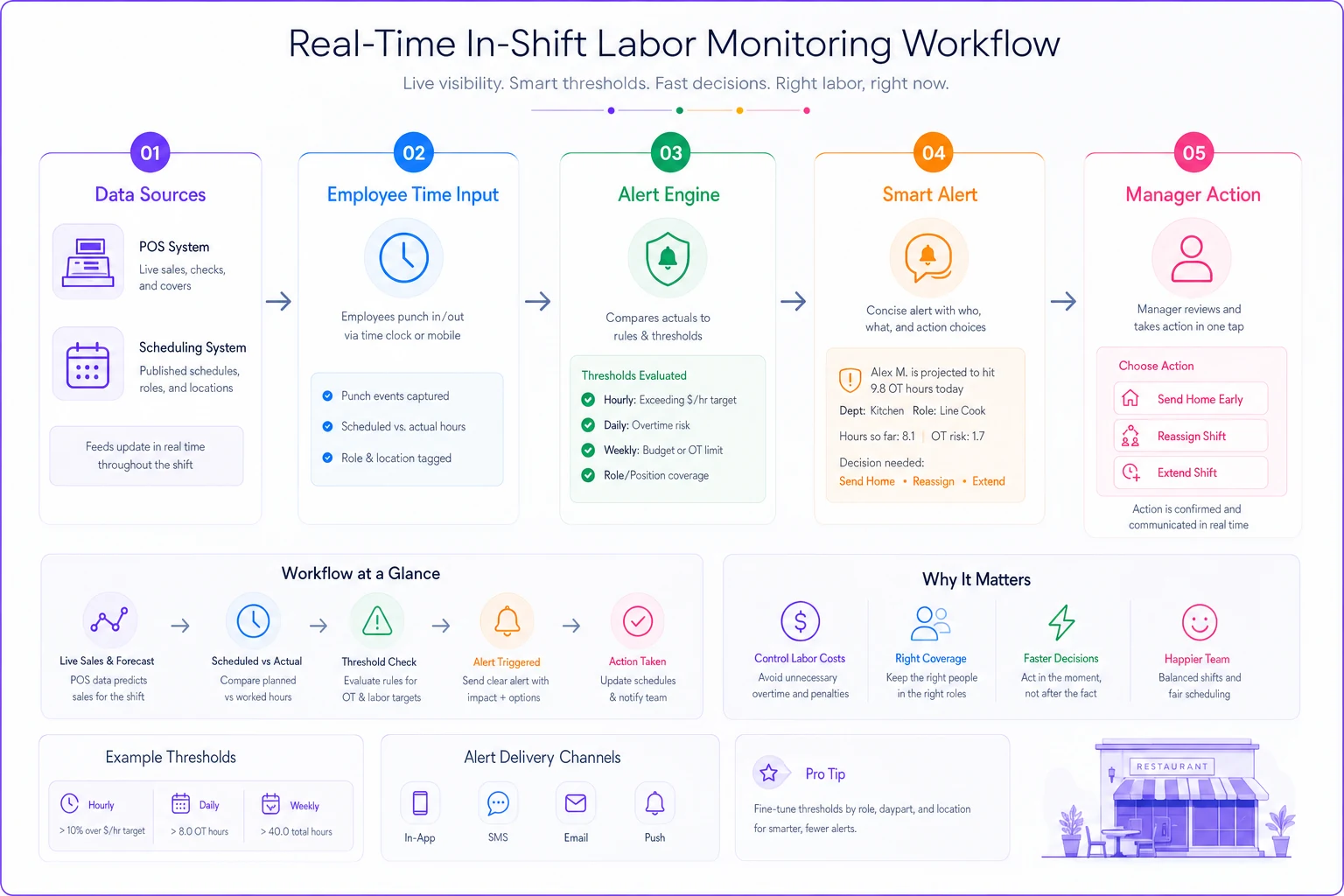
A simple diagram of how data flows and triggers alerts makes it easier to map implementation responsibilities and touchpoints.
If you're already building decision logic into how your floor runs, this fits naturally alongside the decision-tree triggers on a KPI dashboard — same idea, applied to labor in real time rather than after the fact. And if you're moving toward predicting these pressure points before the shift even starts, the phased approach to forecasting pairs well with in-shift thresholds: forecast sets the schedule, thresholds protect it during service.
The takeaway
Overtime creep isn't a discipline problem or a scheduling problem. It's a visibility problem that shows up at the worst possible time — mid-rush, when the manager has the least bandwidth to do labor math. Set your thresholds when it's calm, make the alerts specific enough to force a clear decision, and give managers a script so "send home vs. reassign vs. extend" becomes a ten-second call instead of a reflex toward the expensive option.
Start with just the weekly 36-hour watch and the 45-minutes-to-cut flag. Those two alone catch most of the leak. Run it for a month, add up your premium lines, and you'll probably find the same thing that bistro did — most of the overtime was never a decision anyone actually meant to make.
Overtime creep isn't a discipline problem or a scheduling problem. It's a visibility problem that shows up at the worst possible time — mid-rush, when the manager has the least bandwidth to do labor math. Set your thresholds when it's calm, make the alerts specific enough to force a clear decision, and give managers a script so "send home vs. reassign vs. extend" becomes a ten-second call instead of a reflex toward the expensive option.
Ready to elevate your restaurant operations?
Join 2,000+ restaurants using Dineoly to enhance efficiency, increase table turnover, and delight diners.