

Most restaurant guest data sits in three disconnected places: the reservation book, the POS system, and maybe a spreadsheet somewhere with VIP notes. Hosts are scribbling allergies on sticky notes, servers are trying to remember who ordered the expensive wine last time, and marketing is blasting the same generic email to the entire list.
The real problem isn't collecting guest information—it's that the information never becomes actionable. A guest tags themselves as celebrating an anniversary in their reservation. Great. But then what? Does the host know to seat them at table 12 with the good view? Does the server get a nudge to suggest champagne? Does marketing follow up three weeks later with a date night invitation? Usually, none of that happens.
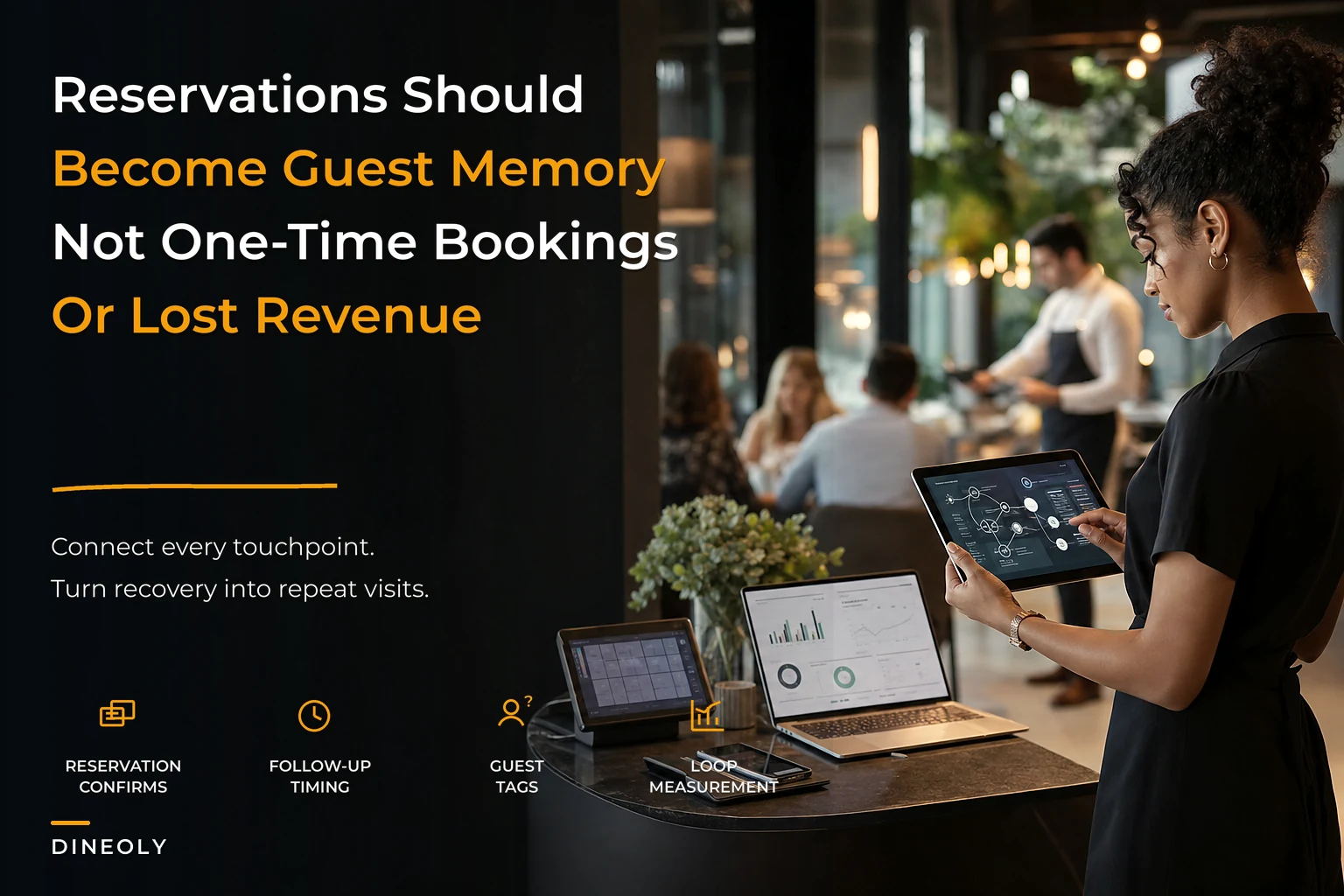
Building a guest experience architecture means creating workflows that connect reservation data to actual operations. Not just storing preferences, but triggering specific actions based on guest behavior, timing, and history.
The Confirmation Cadence Problem
What happens in most restaurants: reservation made, automated confirmation 24 hours before, guest shows up or doesn't. Three touchpoints, zero intelligence gathered, no recovery mechanism if something goes wrong.
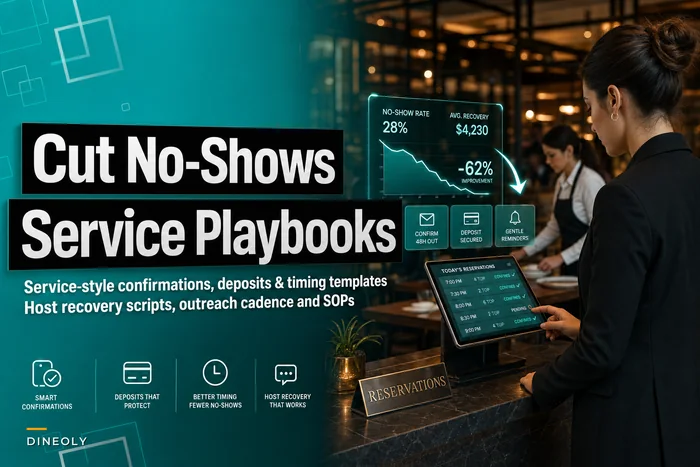
A 120-seat bistro was losing roughly $8,400 monthly to no-shows—not unusual, industry average sits around 12–15% for casual dining. But when they actually tracked confirmation responses, something interesting came up: guests who didn't respond to the 24-hour text had a 31% no-show rate. Guests who responded? Only 4%.
7 days before (for reservations made 7+ days out):
-
Send initial touchpoint
-
Tag based on response type
-
If no response, flag for 3-day follow-up
3 days before:
-
Different message for non-responders
-
Include easy rescheduling link
-
Track who opens but doesn't respond
24 hours before:
-
Final confirmation with specific ask ("Reply YES to confirm")
-
Non-responders get tagged high-risk
-
Trigger host notification for overbook consideration
-
Different messaging for VIPs vs. first-timers
2 hours before (high-risk only):
-
Phone call for parties of 4+
-
Text for smaller parties
-
Immediate release protocol if no response
This isn't about pestering guests. It's about identifying patterns. That bistro found guests who rescheduled once were actually more likely to show up than first-time bookers. They started treating reschedules differently—less aggressive confirmation, more "looking forward to finally meeting you" energy.
Treat reschedules differently—less aggressive confirmation, more "looking forward to finally meeting you" energy.
This isn't about pestering guests. It's about identifying patterns. That bistro found guests who rescheduled once were actually more likely to show up than first-time bookers. They started treating reschedules differently—less aggressive confirmation, more "looking forward to finally meeting you" energy.
Recovery SLAs That Actually Work
SLA sounds corporate, but every restaurant needs response timeframes that match their actual capacity. The mistake most places make is treating all guest issues equally. A complaint about cold food needs different handling than someone mentioning they couldn't find parking.
Eliminate operational bottlenecks effortlessly.
Dineoly helps you manage every reservation, order, and staff shift seamlessly.
- Unified reservation and order management
- Real-time staff scheduling
- Inventory and sales tracking
No credit card required
Recovery works better in tiers:
Tier 1: Service failures during the visit
-
Response time
Immediate
-
Authority level
Any manager
-
Recovery options
Comp items, dessert, discount
-
Follow-up
Within 24 hours
-
Documentation
Full incident report
Tier 2: Post-visit complaints
-
Response time
Within 4 hours
-
Authority level
GM or AGM
-
Recovery options
Future credit, invitation back
-
Follow-up
After next visit
-
Documentation
Guest profile update
Tier 3: Minor inconveniences
-
Response time
Within 24 hours
-
Authority level
Designated manager
-
Recovery options
Apology, small gesture
-
Follow-up
Optional
-
Documentation
Note in profile
Most restaurants don't close the loop. Guest complains about noise level, gets an apology and credit, comes back—and gets seated next to the kitchen again. The recovery becomes meaningless because the information never flows anywhere useful.
One steakhouse group had a 23% return rate for guests who complained. After implementing closed-loop recovery—complaint, resolution, operational flag, verification on return visit—that jumped to 67%. The host stand actually knew about previous issues. Table 42 too close to the bathroom? Guest automatically gets offered 23 or 31. Previous steak overcooked? Kitchen gets a temperature flag.
Guest Segmentation Beyond "VIP" and Everyone Else
Most restaurants have two guest categories: regulars they recognize and everyone else. Maybe three if you count problem customers. But real segmentation drives specific actions, not just recognition.
Frequency segments:
-
First-timer
Needs best impression, full experience
-
Second visit within 30 days
Hooked, needs consistency
-
Monthly regular
Knows the menu, values recognition
-
Weekly regular
Practically staff, needs variety
-
Lapsed (90+ days)
Needs a reason to come back
Value segments:
-
High check average
Wine program focus, premium upsells
-
Consistent moderate
Reliability matters most
-
Special occasion only
Experience enhancement critical
-
Business dining
Speed and discretion priority
Behavioral segments:
-
Reservation modifier
Changes plans often, needs flexibility
-
Advance planner
Books 2+ weeks out, values certainty
-
Walk-in converter
Started walking in, now reserves
-
Channel hopper
Books through different platforms
Recovery segments:
-
Previous complaint
Needs proactive check-in
-
Chronic complainer
Set expectations carefully
-
Silent churner
Stopped coming without explanation
Each segment should trigger different operational protocols. First-timers might get a manager table-touch. Weekly regulars get their usual without being asked. Previous complaints get a pre-shift briefing mention.
The key is making segmentation automatic, not memory-based. When a guest books, their segment should populate to the host, server, and kitchen where relevant. This is where operational backbone systems that link reservations to service delivery become critical—without connected systems, segmentation stays theoretical.
Re-engagement Flows That Don't Feel Desperate
The typical restaurant re-engagement strategy: blast everyone who hasn't visited in 60 days with a discount. Maybe 2% respond. Most unsubscribe. Value destroyed.
Smart re-engagement starts with understanding why guests stopped coming. Once you track it, patterns get fairly predictable:
Natural lapsers (around 45% of churned guests):
-
Just fell out of routine, no specific issue
-
Re-engage with new menu items, seasonal campaigns
Bad experience churners (roughly 25%):
-
Had an issue, may or may not have said something
-
Re-engage with acknowledgment and a personal invitation from management
Life change churners (around 20%):
-
Moved, dietary change, schedule shift
-
Relevant updates only—new location, new menu options
Competition churners (about 10%):
-
Found somewhere they prefer
-
Significant change announcements only
The flow structure matters more than the message. A Korean BBQ spot built this cascade:
-
Day 45 after last visit
Soft touch ("Missing our regulars" campaign)
-
Day 60
New menu announcement or seasonal special
-
Day 75
Personal invitation from GM (high-value guests only)
-
Day 90
Meaningful offer—birthday month, anniversary of first visit
-
Day 120
Final attempt before marking dormant
-
Day 180
Move to quarterly newsletter only
Response rates at each stage told them something useful. Guests who opened but didn't respond to the day 45 message often came back after the day 60 menu announcement—they needed a reason, not a reminder. Guests who ignored everything until day 90 only responded to discounts. That's worth knowing.
The Measurement Matrix Everyone Ignores
Most restaurants track covers and revenue but not guest lifetime value. They know tonight's no-show count but not no-show patterns by day, time, party size, or booking channel. Here's the matrix that actually drives operational improvements:
| Metric | What It Tells You | Action Trigger |
|---|---|---|
| Response rate by confirmation touchpoint | Engagement level | <50% response = modify message |
| No-show rate by segment | Risk patterns | >15% = implement deposits |
| Recovery acceptance rate | Service recovery effectiveness | <60% = review recovery offers |
| Return rate post-recovery | True satisfaction | <50% = recovery isn't fixing root cause |
| Segment migration rate | Guest development | Low upward migration = enhance experience |
| Reactivation rate by campaign | Message effectiveness | <5% = change approach |
| Guest lifetime value by source | Channel profitability | Focus marketing on high-LTV sources |
The matrix gets useful when you start seeing correlations. A tapas restaurant found their OpenTable guests had a 22% no-show rate versus 6% for direct website bookings—same confirmation process, completely different behavior. They started requiring deposits for OpenTable reservations only. No-show rate dropped to 8% without touching direct bookings.
Tracking this stuff consistently is what separates restaurants that make reactive decisions from ones that actually understand their guest base.
Folding No-Shows Into Your Recovery System
Most restaurants treat no-shows as lost causes. Maybe a passive-aggressive "we missed you" text, blacklist repeat offenders. But no-shows are recovery opportunities with the right approach.
First-time no-show (regular guest):
-
Call within 2 hours
-
Concerned tone, not accusatory
-
"Everything okay? We held your table..."
-
Offer immediate rebooking
-
Strong recovery rate when handled this way
First-time no-show (new guest):
-
Text within 30 minutes
-
Light touch
"Looks like tonight didn't work out..."
-
Easy rebooking link
-
One follow-up 3 days later
Repeat no-show:
-
Email from manager
-
Acknowledge the pattern
-
Offer deposit option going forward
-
Clear but friendly
A craft cocktail bar turned no-show recovery into an actual retention tool. Instead of frustrated messages, they sent: "Your usual booth looked lonely without you tonight. Everything okay?" For chronic no-shows: "Seems like reservations aren't working for your schedule—you're always welcome to walk in, or we can hold a bar spot with a quick text day-of."
They recovered 40% of no-show regulars within two weeks. Walk-in notifications from previously chronic no-shows went up significantly. They stopped losing good guests to bad reservation habits.
Technology Architecture Without the Complexity
Most restaurants buy several different systems that don't talk to each other. Reservation system here, CRM there, email platform somewhere else, loyalty program in another silo. Then they wonder why the host doesn't know about the anniversary a guest mentioned in their OpenTable reservation.
The architecture doesn't need to be complicated, but it needs connection points.
``
Reservation → Guest Profile → Service Notes → Follow-up Trigger → Marketing Segment → Measurement Dashboard
``
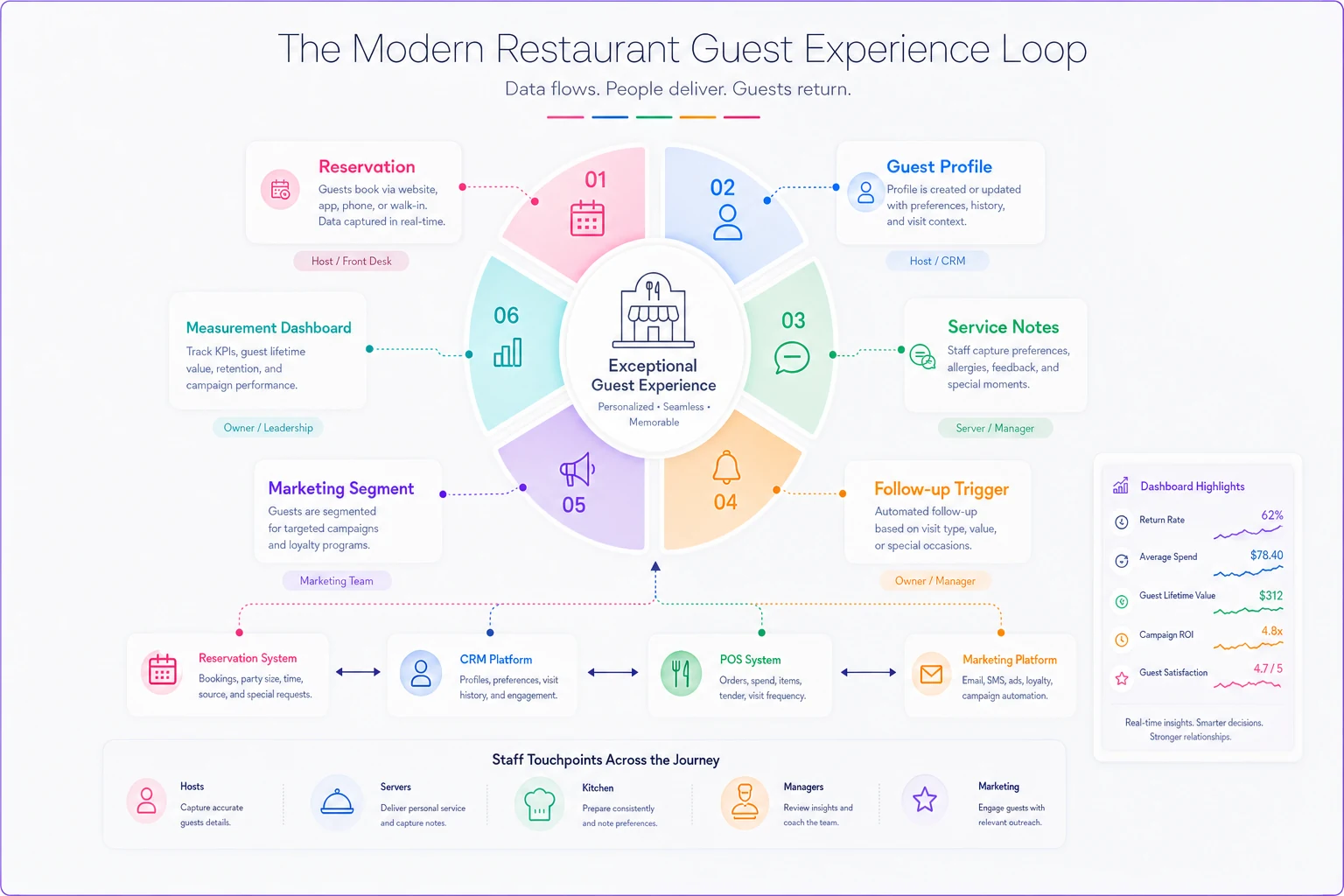
Every touchpoint should feed the same guest profile. When someone mentions they're vegetarian to the host, that should update their profile, influence their next marketing message, and appear in future reservation notes. Not a groundbreaking concept—but maybe 10% of restaurants actually pull it off.
The operational win comes from triggered workflows, not just data storage. Guest orders expensive wine? They get added to the wine dinner invite list. Third visit in a month? Manager gets a notification to introduce themselves. Negative review posted? Recovery workflow starts before they tell everyone they know.
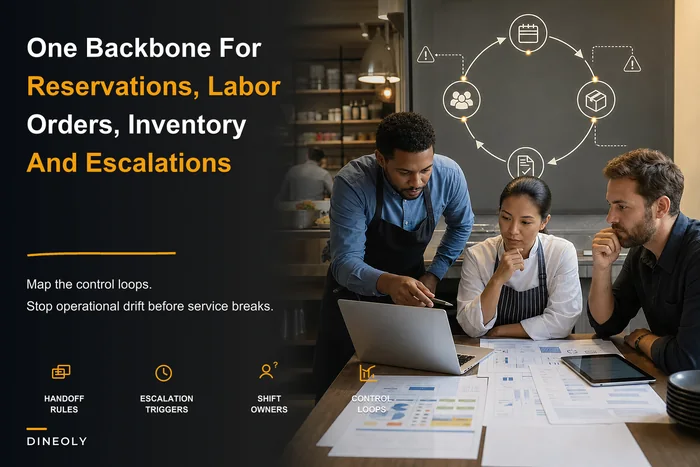
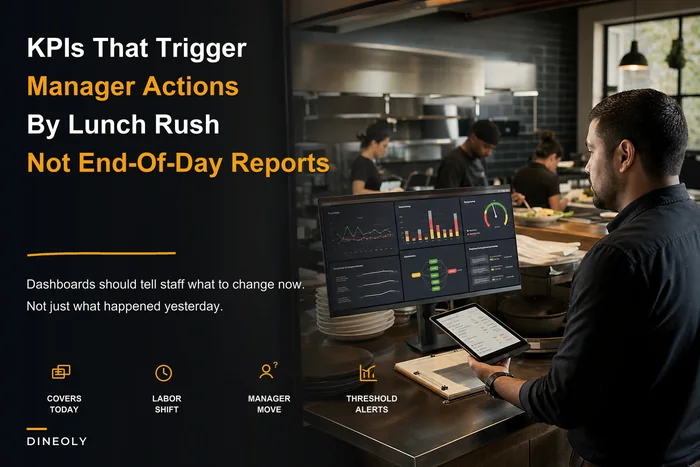
This is where AI-powered operational software makes a real difference—turning scattered data into workflows that actually fire at the right moment. Instead of hosts trying to remember every preference, the system surfaces relevant information when it matters. Instead of managers manually digging through feedback, KPI dashboards flag issues that need immediate attention. The technology amplifies human judgment rather than trying to replace it.
When Personalization Becomes Creepy
Good personalization: "We saved your favorite wine from last visit." Creepy personalization: "We noticed you usually come in after yoga class on Tuesdays."
Good personalization: "The chef prepared your steak medium-rare as usual." Creepy personalization: "We saw your Instagram post about eating healthier."
The difference is context and consent. Preferences expressed directly to your restaurant are fair game. Information pulled from external sources is not. A guest mentioning their gluten allergy creates an operational obligation. Noticing they never order dessert is just an observation to keep quiet.
One upscale restaurant group learned this the hard way. They built elaborate guest profiles—social media scraping, estimated income, relationship status. Servers would congratulate people on promotions they'd never mentioned, hosts would reference vacations posted on Facebook. Guest complaints spiked. Turns out people want their restaurant to remember their order, not investigate their life.
Making It Work at Different Scale Points
A 30-seat neighborhood spot needs different architecture than a 200-seat restaurant with multiple locations. The principles hold, but the implementation changes considerably.
Under 50 seats:
-
Single tablet with a solid reservation system
-
Basic guest notes in the reservation platform
-
Manual recovery tracking in a spreadsheet
-
Email marketing through the reservation platform
-
Manager owns all guest communication
50–150 seats:
-
Integrated reservation and POS system
-
CRM for guest profiles
-
Automated confirmation sequences
-
Structured recovery workflows
-
Dedicated guest experience role, even part-time
150+ seats or multiple locations:
-
Full guest data platform
-
Automated segmentation
-
Multi-channel communication
-
Recovery SLA tracking
-
Guest experience team
The mistake is implementing enterprise architecture in a small restaurant, or relying on memory in a large one. Match the systems to your actual operational capacity.
The Implementation Reality Check
Building this architecture takes time. Most restaurants need 3–6 months to see meaningful results, and that's with consistent focus. Start with the highest-impact, lowest-effort improvements:
-
Month 1
Fix your confirmation process.
Get response rates up, no-show rates down. Immediate revenue impact. -
Month 2
Implement basic segmentation.
Three categories to start—new, regular, lapsed. Different messaging for each. -
Month 3
Structure your recovery process.
Document it, train on it, measure it. This connects directly to broader operational recovery systems. -
Month 4
Connect your systems.
Get reservation data flowing to service and marketing. Stop the silos. -
Month 5
Launch re-engagement campaigns.
Test different approaches with dormant guests. Learn what actually works. -
Month 6
Measure and optimize.
Review your metrics, find the patterns, adjust the workflows.
Building this architecture takes time. Most restaurants need 3–6 months to see meaningful results, and that's with consistent focus. Start with the highest-impact, lowest-effort improvements.
Common Failure Points
Over-automation too quickly. A sushi restaurant implemented 15 automated messages in week one. Guests felt spammed, staff felt disconnected. Scale gradually.
Ignoring staff training. Your host needs to understand why they're collecting certain information. Your servers need to know how to use guest preferences without being weird about it. Training isn't optional.
Measuring everything, actioning nothing. Data without decisions is expensive storage. Pick five metrics that actually drive action.
Treating all guests the same. Saturday night first-timers need different handling than Tuesday lunch regulars. One size fits none.
Forgetting the human element. Technology enables better human service—it doesn't replace it. A warm greeting still beats a perfect algorithm.
The Bottom Line
Most restaurants think about guest experience as a feeling—did they have a good time? Operationally, though, guest experience is a system. It's the workflows that ensure the right information reaches the right person at the right moment to produce the right outcome.
You don't need perfect technology or a big budget. You need connected workflows that turn guest data into operational intelligence. Every restaurant already has information scattered across reservations, POS, comment cards, and server memories. The architecture is just about building bridges between those islands.
Start where you're losing money today—probably no-shows and poor recovery. Build from there. Add sophistication as you prove value. The restaurants winning on guest experience aren't the ones with the most data. They're the ones whose Tuesday lunch server knows you prefer booth 3 and always order sparkling water, because the breakfast host noted it and the system made sure it traveled. That's not complex technology. That's operational discipline, enhanced by smart automation—the kind that turns one-time diners into regulars, and regulars into the people who choose you when they actually have something to celebrate.
Start where you're losing money today—probably no-shows and poor recovery. Build from there. Add sophistication as you prove value.
Ready to elevate your restaurant operations?
Join 2,000+ restaurants using Dineoly to enhance efficiency, increase table turnover, and delight diners.